Type BTCUSD on TradingView and you get a dozen exchanges. Young exchanges cut the history and hide the big market cycles; the oldest ones are sometimes dead. Our Chrome extension puts the pairs of your exchanges at the top of TradingView's own symbol search and adds a line with the pair that has the longest live chart history. Enter opens it.
Free · Google Chrome · works inside tradingview.com · extension interface in English and Russian
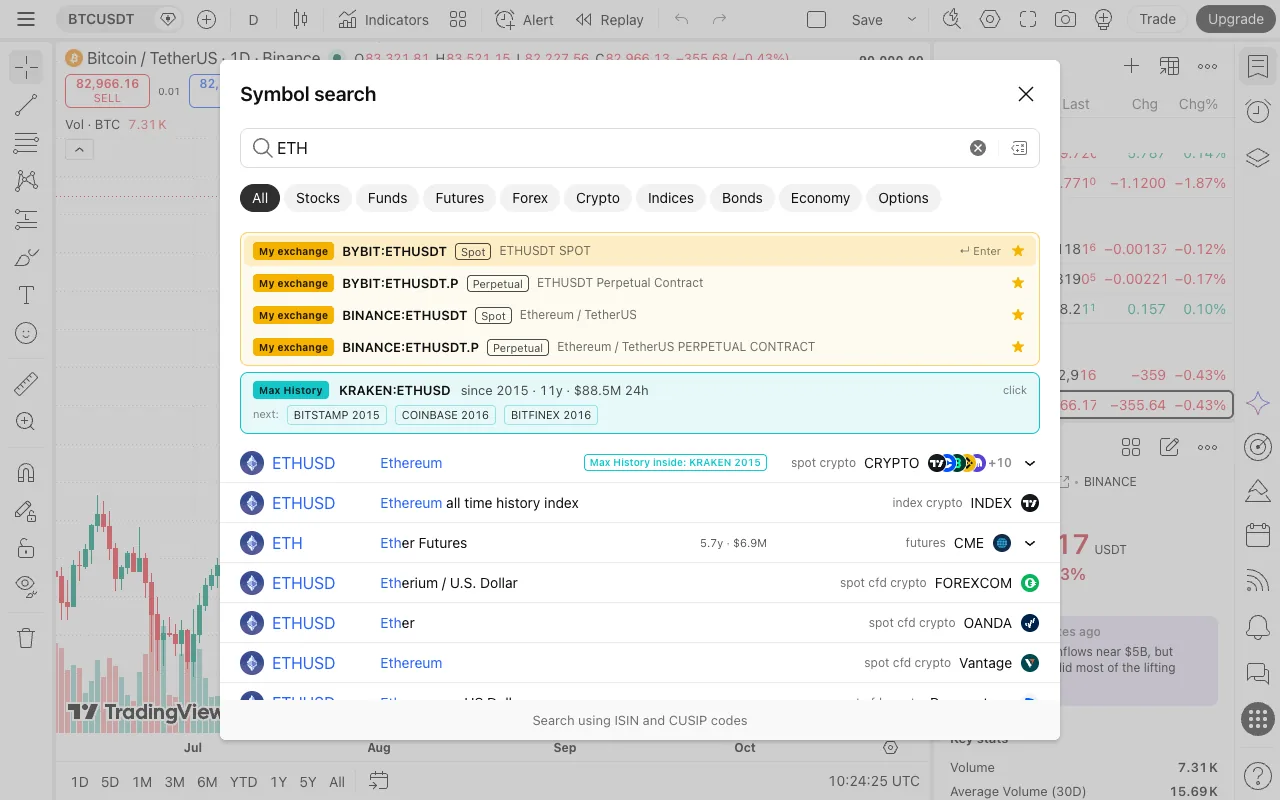
Trade on Bybit? Type BTCUSDT or just ETH and the Bybit pair is the first line — even when TradingView hides Bybit inside a collapsed «+10» group. Pick several exchanges and set their order; spot and perpetual are both shown, the one you prefer first. If a ticker isn't listed on your exchange, a small «not on Bybit» note says so.
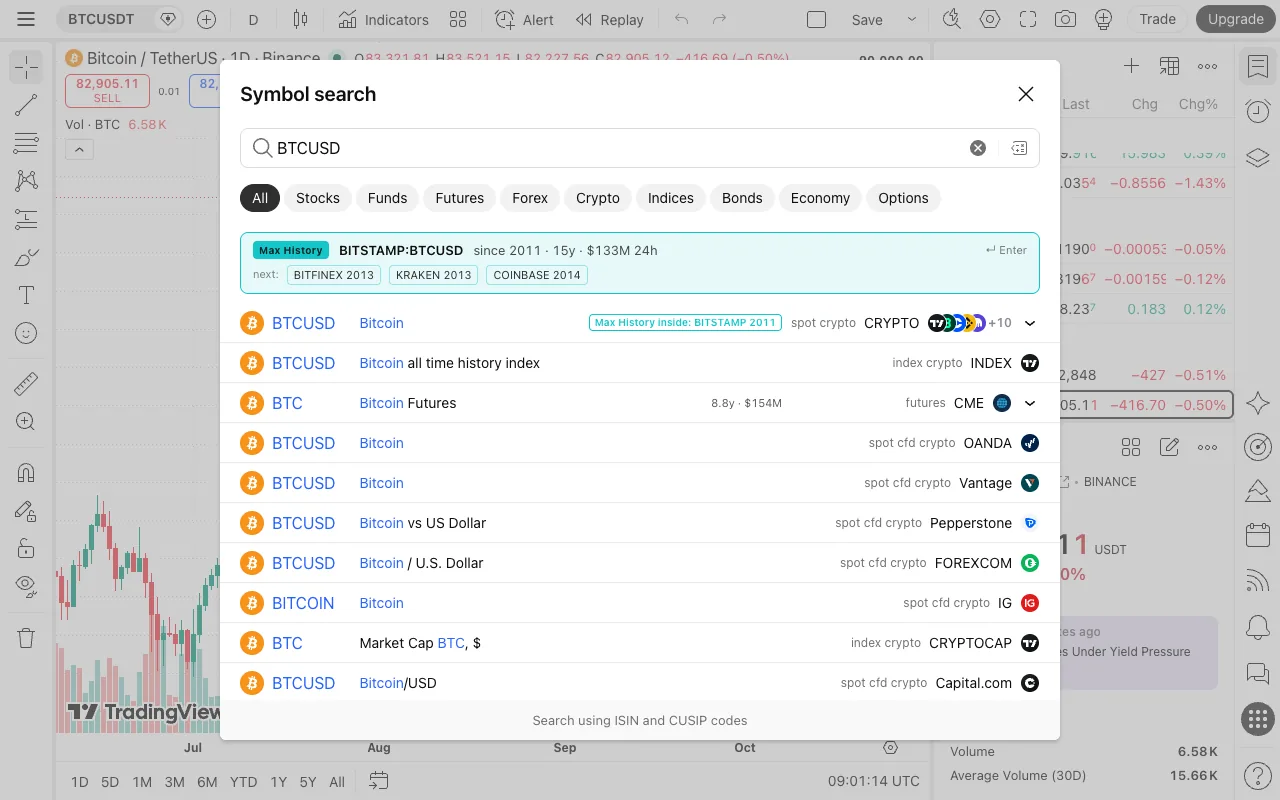
On top of TradingView's symbol search (click the ticker or start typing on the chart): the pair with the longest chart history and confirmed 24h volume — for example BITSTAMP:BTCUSD with data since 2011. Enter or a click opens it; arrow keys work as before.
The oldest exchange is useless if its chart is a staircase. Pairs with too little volume compared to the ticker's most liquid market are dropped, then the last 200 hourly candles of the top three are checked and a pair with too many flat or missing hours is skipped. The line tells you why.
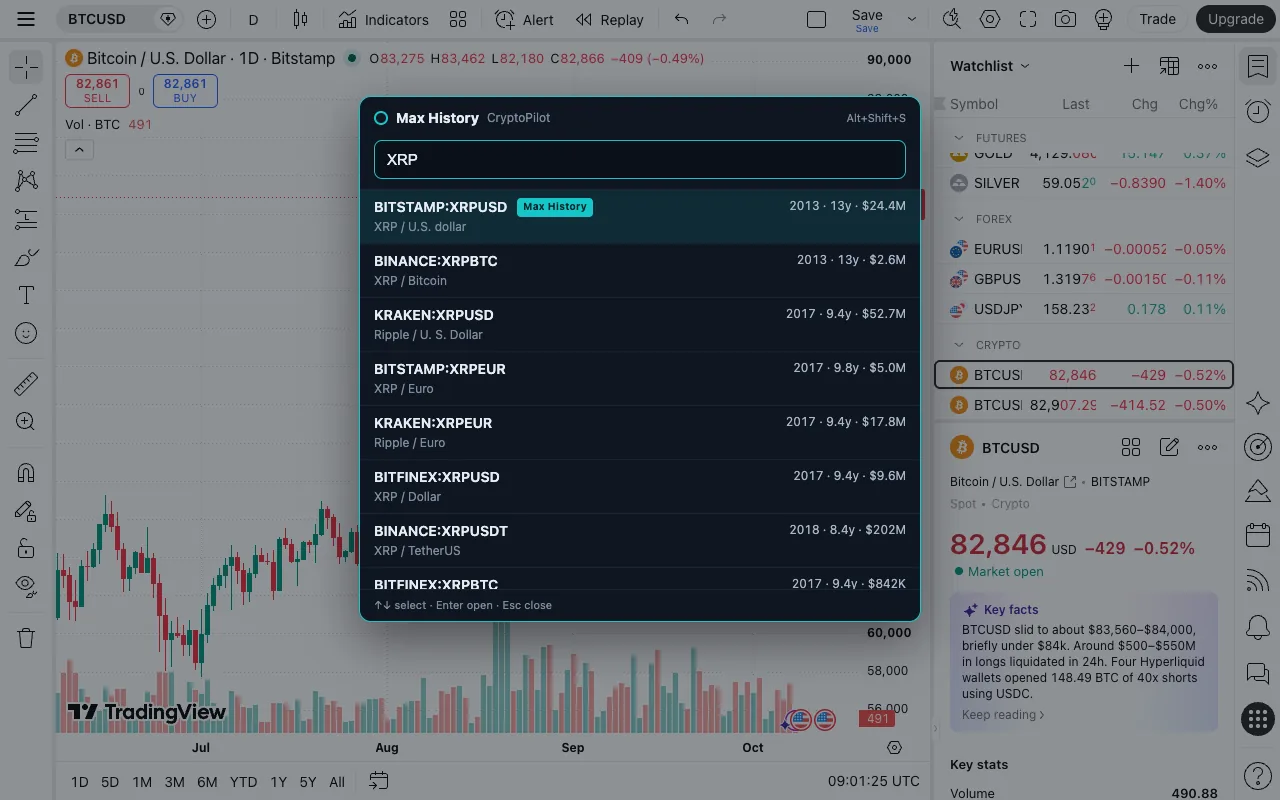
Your exchanges first, then the full ranking, with history age and 24h volume next to each pair. Hover any row in the search and click ☆ to add its exchange to My exchanges. Works for crypto, stocks and futures.
Screenshots from TradingView with the extension installed.
No servers, no analytics, no tracking, no account. The extension reads only public TradingView data, straight from your browser — the same requests the page makes itself. Settings stay in your own Chrome profile. If TradingView changes something, the extension simply stays silent and the native search keeps working.
CryptoPilot · Max History is a free tool by CryptoPilot, not affiliated with TradingView. It helps you find the right chart; it is not financial advice or a recommendation to buy or sell. Trading crypto carries a high risk of losing your money.